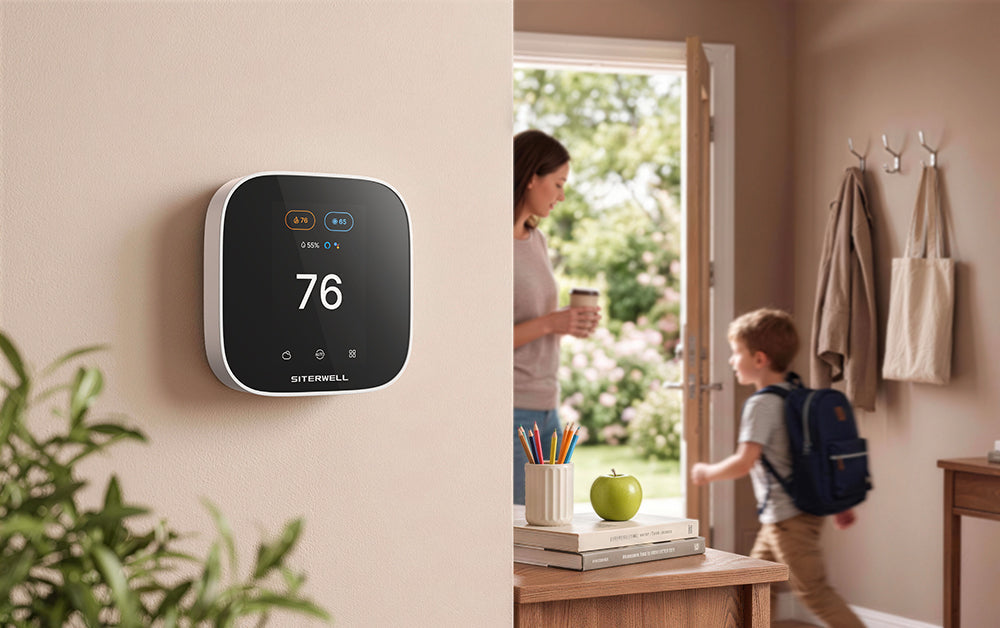
The back-to-school season brings more than new classes and school supplies. For many American families, it also means a major change in the daily routine.
Summer days may have meant flexible mornings, changing schedules, and more time at home. Once school starts, the household settles into a more predictable rhythm: wake up, get ready, leave for school and work, return home, and go to bed.
Your thermostat can follow that same routine.
Instead of adjusting the temperature manually every morning and afternoon, a programmable or smart thermostat can automatically change temperature settings based on your daily schedule. This can help maintain comfort when your family is home while reducing unnecessary heating or cooling when the house is empty.
Why Your Thermostat Schedule Matters During the School Year
A typical school day can leave a home unoccupied for several hours.
If your thermostat maintains the same comfort temperature all day, your HVAC system may continue heating or cooling an empty home. A scheduled temperature setback can reduce unnecessary HVAC operation during those hours.
The U.S. Department of Energy(DOE) says that adjusting your thermostat by 7°F to 10°F for 8 hours a day can save up to 10% a year on heating and cooling costs.
The exact temperature that works best depends on your home, climate, HVAC system, and comfort preferences. If you use a heat pump, follow the thermostat manufacturer's recommendations for temperature setbacks. DOE specifically notes that heat pump systems require appropriate controls to operate effectively in setback mode.

Build a Four-Part School-Day Thermostat Schedule
A simple way to organize your thermostat schedule is to divide the day into four periods: Wake, Away, Return, and Sleep.
1. Wake: Start the Day Comfortably
Set your preferred temperature before the family wakes up. For example, if everyone gets up at 6:30 AM, your thermostat schedule can begin the morning comfort period around that time.
This gives the HVAC system a defined comfort period while the family gets ready for school and work.
2. Away: Adjust the Temperature After Everyone Leaves
Once the family leaves for school and work, the home no longer needs the same comfort setting.
Set an energy-saving temperature for the hours when the house is unoccupied. The U.S. Department of Energy recommends a 7°F to 10°F adjustment for 8 hours as a general energy-saving strategy.
The exact settings should be adjusted based on your home's conditions and your HVAC system.
3. Return: Prepare the Home Before Everyone Gets Back
The afternoon return period is when comfort becomes important again.
Schedule the thermostat to return to your preferred temperature before the family gets home. This helps your home transition back to its normal comfort setting without requiring a last-minute manual adjustment.
Because recovery time varies between homes and HVAC systems, choose a schedule that works for your system rather than relying on a fixed recovery time.
4. Sleep: Maintain Overnight Comfort
Your family's temperature preference may change at night.
Set a separate Sleep period with a temperature that feels comfortable while reducing unnecessary heating or cooling. The Department of Energy also recommends adjusting thermostat settings while sleeping as part of an energy-saving strategy.
Example Back-to-School Thermostat Schedule
|
Time
|
Routine
|
Example Setting
|
|
6:30 AM
|
Wake
|
Comfort Temp (e.g., 72°F)
|
|
7:45 AM
|
Away
|
Eco-Setback (e.g., 78°F)
|
|
3:15 PM
|
Return
|
Comfort Temp (e.g., 72°F)
|
|
10:00 PM
|
Sleep
|
Overnight Temp (e.g., 75°F)
|
Note: These temperatures and times are examples only. Adjust them based on your family's schedule, comfort preferences, local climate, and HVAC system.

Make Schedule Changes Easier with a Smart Thermostat
A smart thermostat can make this routine easier to manage because temperature changes can happen automatically according to a schedule.
With the Siterwell GS366A-MWAC Smart Thermostat, you can create temperature schedules for different times of the day and adjust them as your family's routine changes.
1. Flexible Scheduling
Create customized schedules around school, work, weekends, and other recurring routines.
2. Control of Your Phone
Use the Siterwell Link app to adjust thermostat settings remotely when your plans change.
For example, if the kids have an unexpected early dismissal or the family will be away for the evening, you can adjust the temperature from your phone instead of waiting until you get home.
3. Two-Way Schedule Synchronization
Temperature schedules created or edited on the thermostat or in the app sync in both directions, making it easier to manage your schedule from either interface.
4. Vacation Settings
Planning a weekend trip or a longer vacation? Use Vacation settings to manage the temperature for a specific period while you're away.

Make the Back-to-School Routine Easier
Back-to-school preparation is not only about backpacks, school supplies, and morning alarms. It is also an opportunity to make everyday routines more predictable.
A thermostat schedule can automatically adjust your home's temperature around the times your family wakes up, leaves, returns, and goes to sleep. That means fewer manual adjustments and a more consistent routine throughout the school year.
The Siterwell GS366A-MWAC Smart Thermostat is designed to help you manage those daily temperature changes through scheduled settings and mobile control.
Ready to create a smarter school-day routine? Explore the Siterwell GS366A-MWAC Smart Thermostat and see how scheduled temperature control can fit your family's routine.
Make the Fall Transition Effortless
A well-organized back-to-school season isn't just about color-coded folders and backpack hooks—it's about building a home environment that works with your daily schedule, not against it. By automating your home's morning routine with the Siterwell GS366A-MWAC, you can focus on what really matters: getting your family out the door stress-free while enjoying lower energy bills all semester long.
Ready to upgrade your home before the school bell rings?
Explore features and check HVAC system compatibility for the Siterwell GS366A-MWAC Smart Thermostat today.